Quiet Chatter 4 : Developing with AI Agents
Quiet Chatter is closed now. This post describes how I developed it.
By the time it closed, most of the code in Quiet Chatter was written by AI agents. This is the process I used around them.
The Workflow
flowchart LR
    A[New plan or requirement] --> B[Spec]
    B --> C[Plan and tasks]
    C --> D[AI agent: frontend]
    C --> E[AI agent: backend]
    D --> F[Staging and review]
    E --> F
    F --> G[Production]
I borrowed spec-driven development and shaped it to fit this project, so that several agents can code efficiently.
At the start I fixed the tech stack and architecture pattern and built the foundations myself: the infrastructure and the base of the application architecture. Then I wrote the building blocks for the first domain as a model for later work, and documented the programming style.
Now agents do most of the coding. I design requirements and specs, keep the guidelines for the agents up to date (API, architecture, code style, commit messages, infrastructure and deployment, security), and concentrate on reviewing what the AI produces for defects and for security weaknesses such as wrong dependencies.
- It starts from a requirement: a new feature or an improvement.
- Spec. With the AI, I analyze the requirement and define the feature's specification.
- Plan. With the AI, I review the technical side (infrastructure, communication contracts) and define a phased plan.
- Task. With the AI, I break the work down by layer into a task list.
- The frontend and backend agents receive their task lists and code in parallel.
- Finished work is staged on the development server and waits for review.
- After my review it goes to production.
The records from each step are kept as Markdown, in the planning repository or in each source repository: the discussion between developer and AI, the decisions, and the result.
Requirements in One Place
Requirements and policies, with their history, live in a GitHub repository (quiet-chatter-docs). It gives the agents a single window onto the plan.
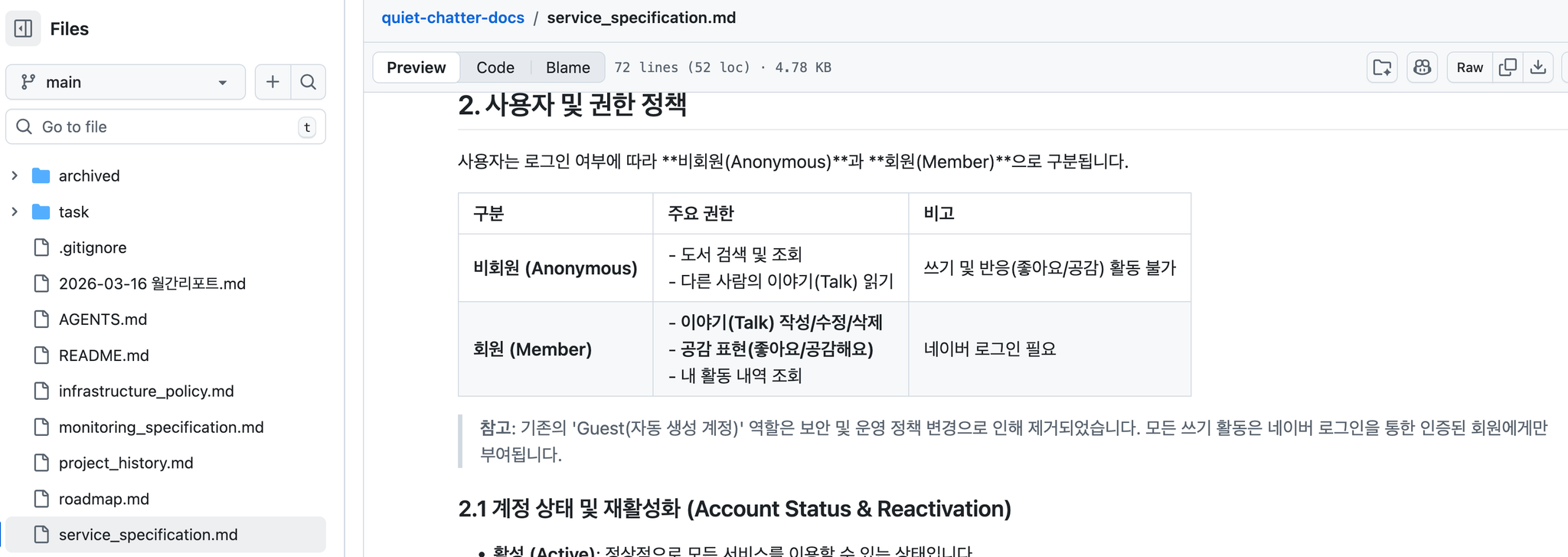 The service specification in the docs repository.
Guidelines
I decide what to build and delegate the first draft of the implementation plan to an agent. I review the plan, improve it through feedback or tell the agent to proceed, then review the tested result it hands back.
Each project has an AGENTS.md. It links to the guideline documents in docs/guide/*.md, and I wrote those carefully enough that an agent understands the project from them alone. That reduced the careless dependencies that zero-shot prompts tend to add, made generated code more consistent, and cut rework.
When a guideline is missing, or an agent misreads one and gets confused, I correct the guideline before continuing. In the long run this is what raises efficiency.
Task Documents
A design may need to be changed or reviewed later, so I record my interaction with an agent per unit of work. I call this record a task document. With it, work continues at once even if the model changes or the cloud session ends.
Top: core context
  1. Developer request     — core business logic and requirements
  2. Agent work status     — what is implemented, which tasks are done
Bottom: record
  3. Decision history      — main topics and decisions, summarized
It began as a chat-like log that only grew by appending. I changed it to put the most important context at the top — my requirements, the agent's work so far, the design — and to keep the history as a summary of the main topics and decisions only. That stops unneeded context from being fed back in.
Parallel Agents
When the design step has already defined the interface between projects, the API spec and the main tasks, agents code in each project in parallel.
I subscribe to Google AI Pro, so I use the Antigravity IDE, which is similar to Cursor, and its agent manager for parallel work.
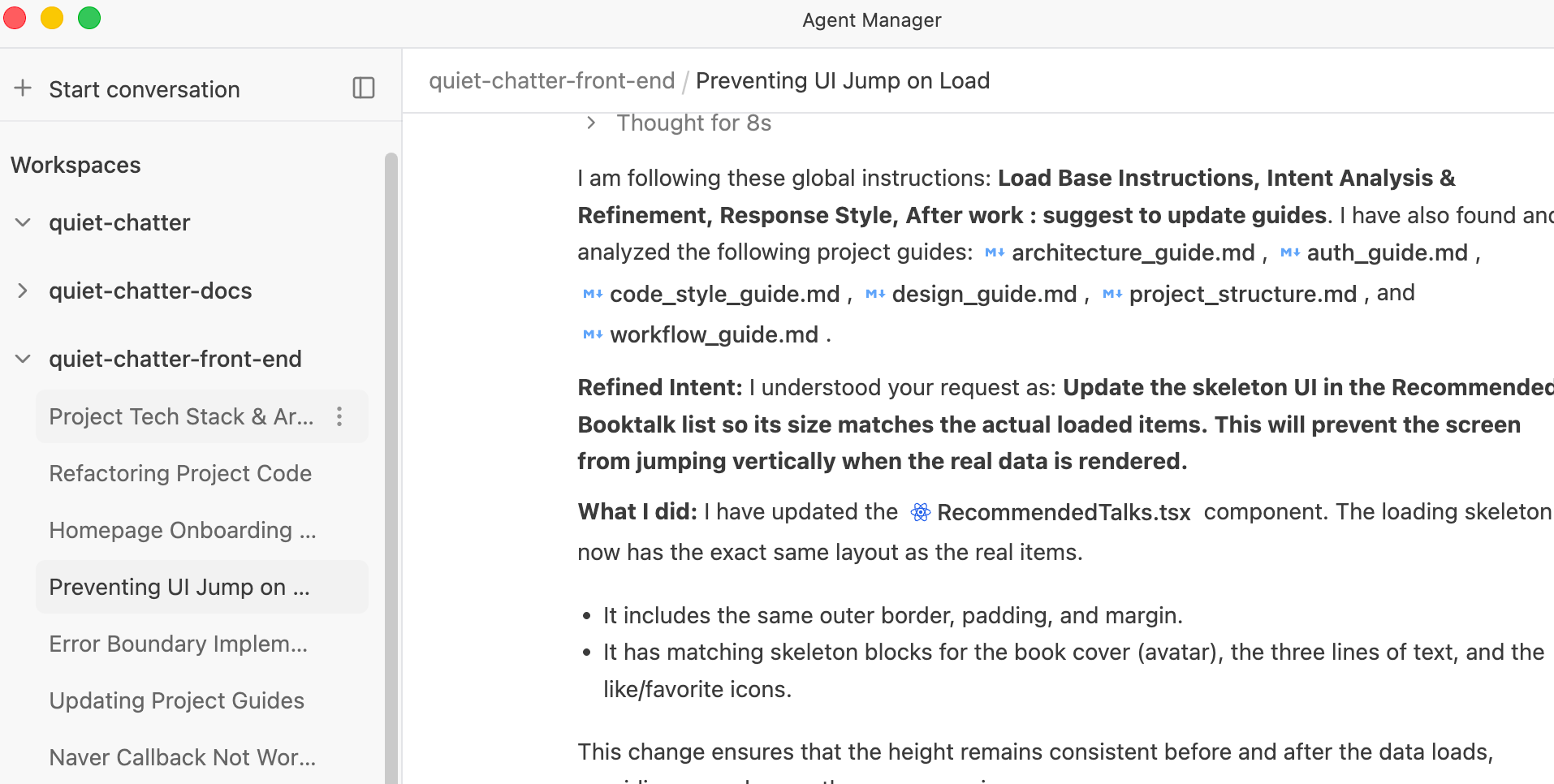 Parallel work in Antigravity's agent manager.
I switch models as needed, mainly Gemini 3.1 Pro and Claude Sonnet / Opus 4.6. Gemini 3.1 Flash is often enough for a simple fix; codebase analysis or a larger context calls for a stronger model.
IntelliJ Ultimate used to be my main IDE for the backend. Now most work happens in Antigravity. I also use Gemini CLI for small fixes from the terminal, with the GitHub MCP connected to go as far as opening the pull request.
Managing the Risks
Security: an agent could expose keys stored locally.
The agent's reach is limited to the current workspace path, and terminal commands run only in a sandbox. Risky commands such as curl and wget are on a block list. Sensitive keys are not stored locally.
Copyright: copyleft contamination from GPL code. All of Quiet Chatter's source is public, so this does not constrain it yet. For a commercial service I would register a global instruction against unlicensed use of open-source code, and add an automated workflow that checks pull requests for copyright problems.
Wrong code: hallucination and confusion. At the start of every session the agent must read the project guidelines and register them as global instructions. When a mistake happens, I find the cause by questioning the agent and then update the guideline, so it does not recur. I use plan mode to check the work before it starts, and require unit tests to run afterwards.
To limit unreliable exploration of many implementation paths, the agent is instructed to propose only designs and technologies that are accepted industry standards.
Back to the start: what Quiet Chatter is.
Comments 0
Be the first to comment.